
Feature: wall screens

A Monitor on the Wall That Stays On

Display mode shows the screens and nothing else, as large as they fit. A wall-screen link signs that monitor in for good, looks and never acts, and comes back by itself after qKVM restarts or the power goes.

Screens and Nothing Else

Display mode

View, Display mode, or the key D: every screen as large as fits. Move the mouse for a small bar that rotates through the groups every 20 seconds; Esc leaves. The address gets #display, so a browser on a wall screen can be pointed straight at it.
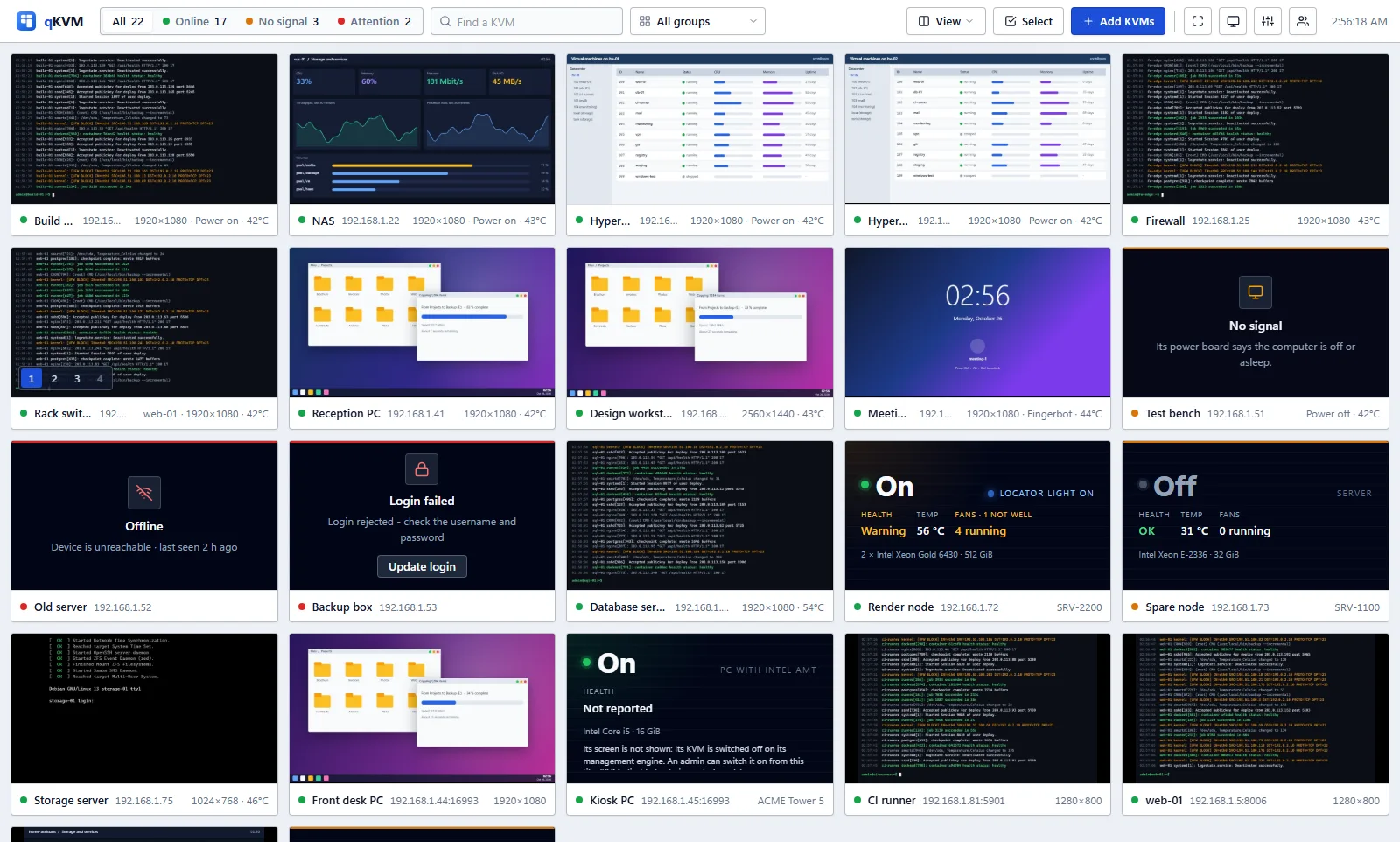
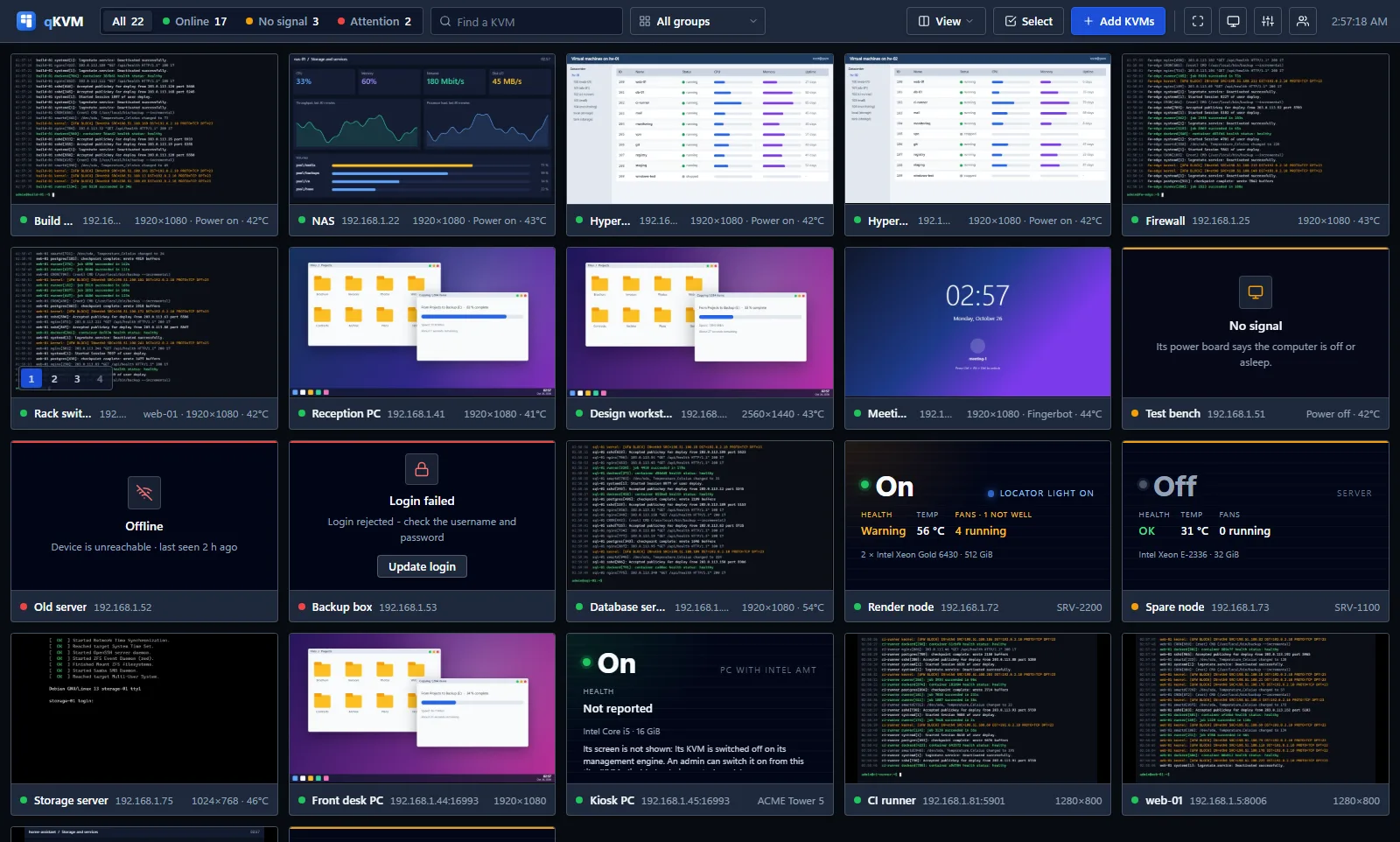
  • Each browser its ownthe order, the number of columns, how often a picture comes, display mode
  • Problems firsta wall screen can show what needs attention first while a desk keeps the arranged order
  • Groupsa rack, a room or a customer; the top bar shows one group at a time
Using the wall
The wall: KVMs, servers, PCs and virtual machines with their live screens, their names and their state.

A Link That Comes Back by Itself

A link of its own

Made under Settings, Tokens, one for each screen, and shown once. qKVM keeps only what it needs to know it again.

Back after a power cut

Opened once in that screen's browser, it is kept there. After qKVM restarts it comes back in by itself: nobody stands at the screen with a keyboard.

Looks, never acts

It sees the machines it was made for and does nothing to them. It cannot change settings, accounts, devices or tokens.

Dark when taken back

An admin takes a link back at any moment, and a screen showing with it goes dark. It can also be given a date it runs out.

One Order for Every Screen

  1. Arrange the tilesView, Arrange the tiles: every tile shows its place, 1, 2, 3 and on.
  2. Move themDrag a tile to another place, step it with the arrows, or type its number.
  3. Save this orderKept on the server: the same for every browser and every screen of this wall.
  4. Add more laterA machine added later stands at the end until it is given a place.

Details and Limits

Link or account
A viewer account signed in on a screen with Keep this browser signed in is asked for its password again after 30 days. A link is asked for nothing.
Which machines
A link can be held to chosen machines or groups, as a token can.
After a locked start
Where qKVM was started with --locked-start, the pictures come back once somebody has signed in anywhere.
Arranging
The tile order is an admin's to set; each browser chooses whether to show it, by name, by group, or problems first.
How large
The largest wall run so far had 13 real KVMs for a night, and 44 stand-ins for an hour at a picture a second each. Nothing is known yet about hundreds.
In the Desktop App
Display mode with Rotate groups, several windows across monitors, and saved workspaces. A PC opened with a qKVM server's display link shows that wall and does nothing to any machine.